Plans, live minutes and billing
Terva has two plans. Free answers your calls with 30 live minutes a month. Reception also books appointments. Here’s how minutes count, what happens when they run out, and how to change or cancel.
Not working? See what to doSee your plan
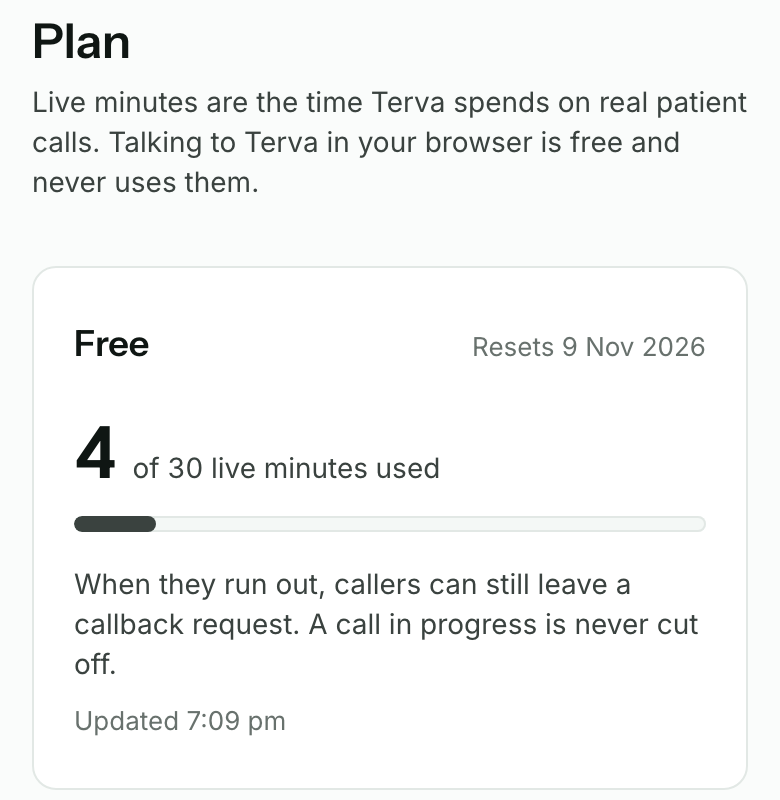
Open Plan in your dashboard menu. The top card shows your plan, the live minutes you’ve used, and when they reset.
Live minutes are the time Terva spends on real patient calls, from when it answers a forwarded call to when the caller hangs up. Test calls in your browser are free and never use them.
Compare Free and Reception
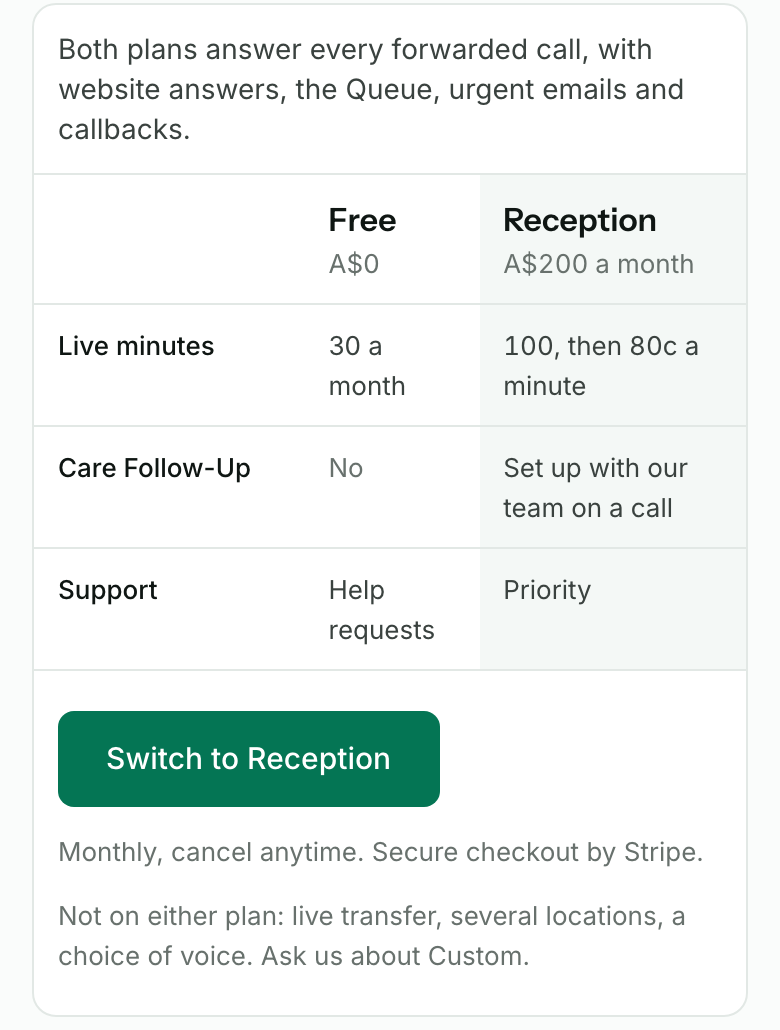
Free is A$0 with 30 live minutes a month. Terva answers every forwarded call using your website and the answers you checked, and passes on booking requests for your team to confirm.
Reception is A$200 a month with 100 live minutes, then 80c a minute. Terva books, moves and cancels appointments in your booking system once our team has set it up with you on a call. Care Follow-Up is set up with our team on a call.
Keep an eye on your minutes
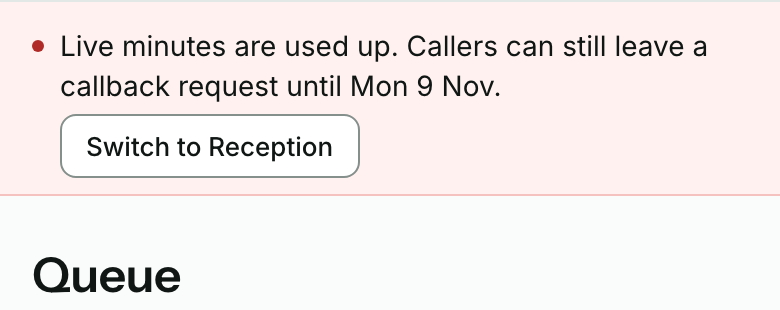
On Free, we email you when 6 of your 30 minutes are left, and again when they’re used up. A strip at the top of your dashboard says the same.
Once they’re used up, callers hear a short message and can press 1 to leave a callback request. It lands in your Queue. A call in progress is never cut off. Full answers come back when your minutes reset, or straight away on Reception.
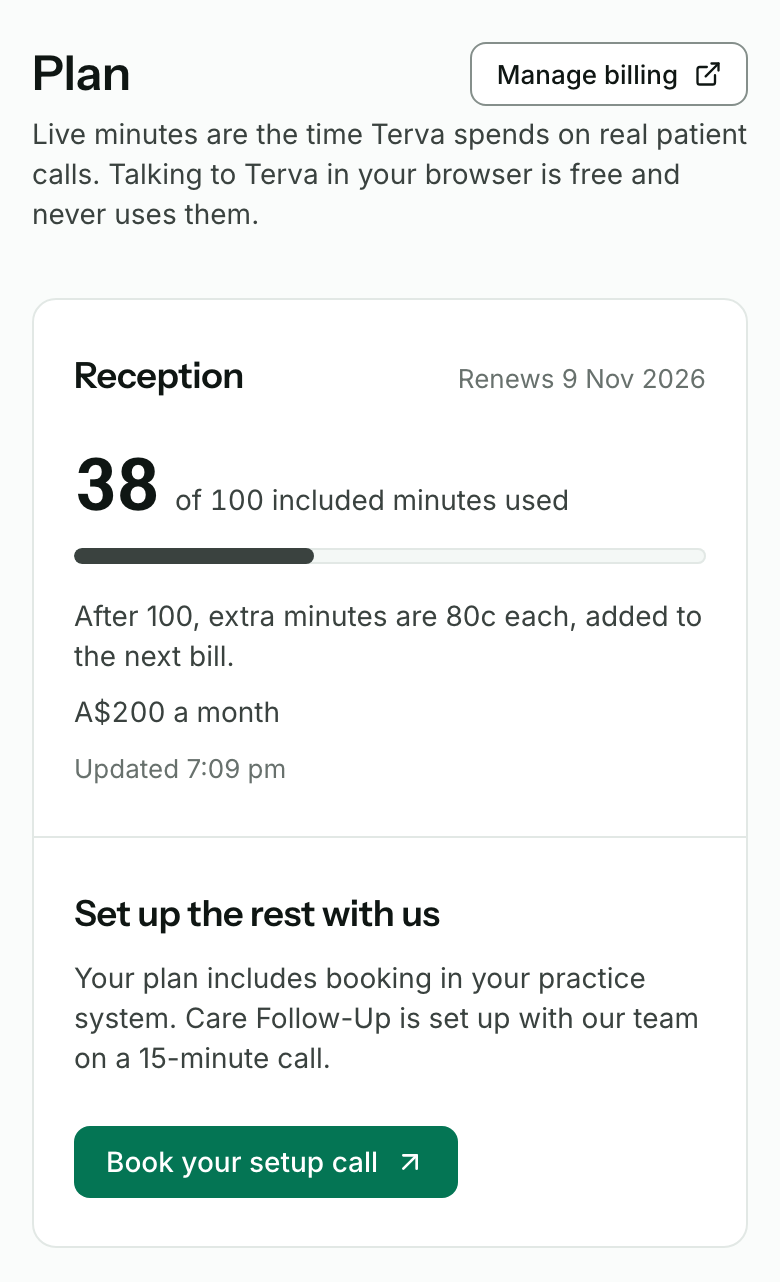
Reception keeps answering after its 100 minutes. Each extra minute is 80c, added to your next bill. Minutes don’t roll over to the next month.
Switch to Reception
On Plan, press Switch to Reception. Stripe’s secure checkout opens. Add your card and pay the first month, A$200.
When you’re back, Plan shows Reception and when it renews. Stripe emails your receipt. Your number, forwarding and Queue stay the same.
Press Manage billing to change your card or see your invoices.
Fix a payment that didn’t go through
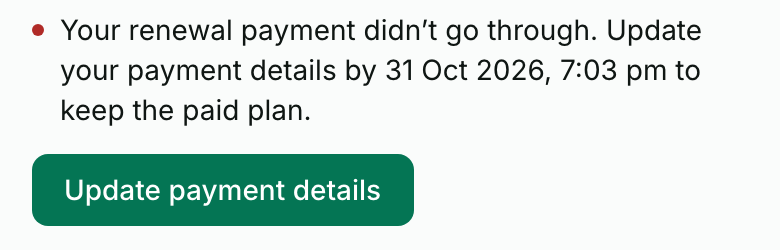
If a monthly payment fails, Plan says Your renewal payment didn’t go through and gives the date and time to fix it by. Press Update payment details and add a card that works.
Until then Terva keeps answering for up to 10 minutes, which aren’t charged. It takes booking requests instead of booking. Once those minutes are used or the date passes, callers can leave a callback request only, until you update your card.
Cancel Reception
On Plan, press Cancel paid plan, then confirm in Stripe.
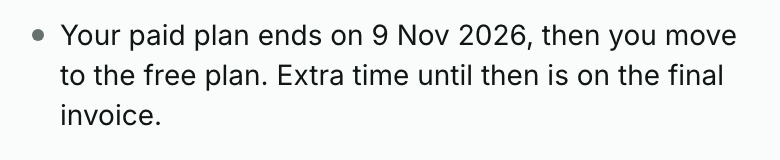
Reception runs to the end of the month you’ve paid for, then your practice moves to Free. It keeps its Terva number and forwarding. Extra minutes until then are on the final invoice.


What you’ll see when it works
- Plan shows your plan, the minutes you’ve used and when they reset.
- Test calls in your browser don’t change your minutes.
- After you switch, Plan shows Reception and Stripe emails your receipt.
- After you cancel, Plan shows the date Reception ends.
If it doesn’t
- Switch to Reception is greyed out
- Reception starts once your Terva number is ready and answering, so finish your Phone line first. If the page says it isn’t open online yet, book a set-up call below and we’ll switch you over.
- Only the practice owner can change the plan or payment details
- Ask the owner of your practice’s Terva account to switch, cancel or update the card.
- Checkout isn’t finished, so you’re still on Free
- Press Continue checkout to go back to it. Nothing is charged until you pay.
- Payment is processing
- Stripe usually confirms in a few seconds. Refresh Plan in a minute.
- We’re checking your billing, so these figures may be out of date
- Book a set-up call below and talk to us before you change your plan.
Stuck on a step?
Book a set-up call and we’ll go through it with you.