Your Terva number
Your Terva number is where Terva answers. It stays private: patients keep calling your practice number, and only the calls your team can’t get to reach Terva.
Not working? See what to doGet your number
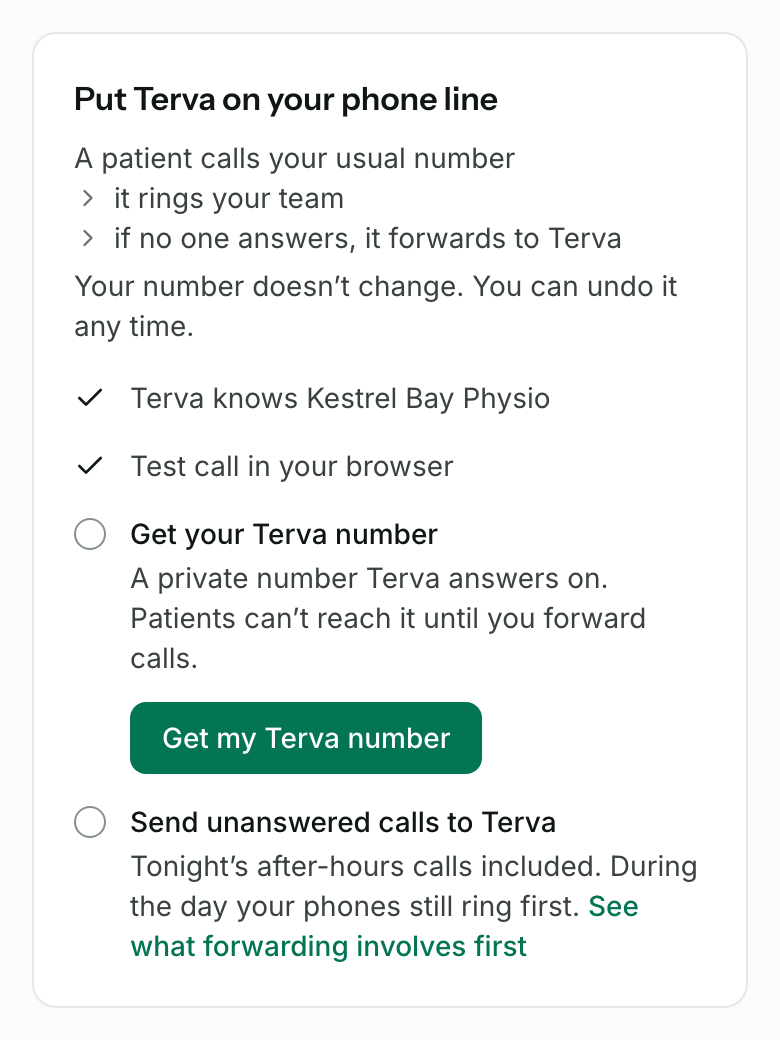
Make a test call first. Then, on your dashboard’s Queue, find Put Terva on your phone line and press Get my Terva number. It’s also on the Phone line page.
It’s a local number for your state, and it usually takes a few seconds. If it takes longer, you don’t need to wait: we email you when it’s ready.
Keep your practice number
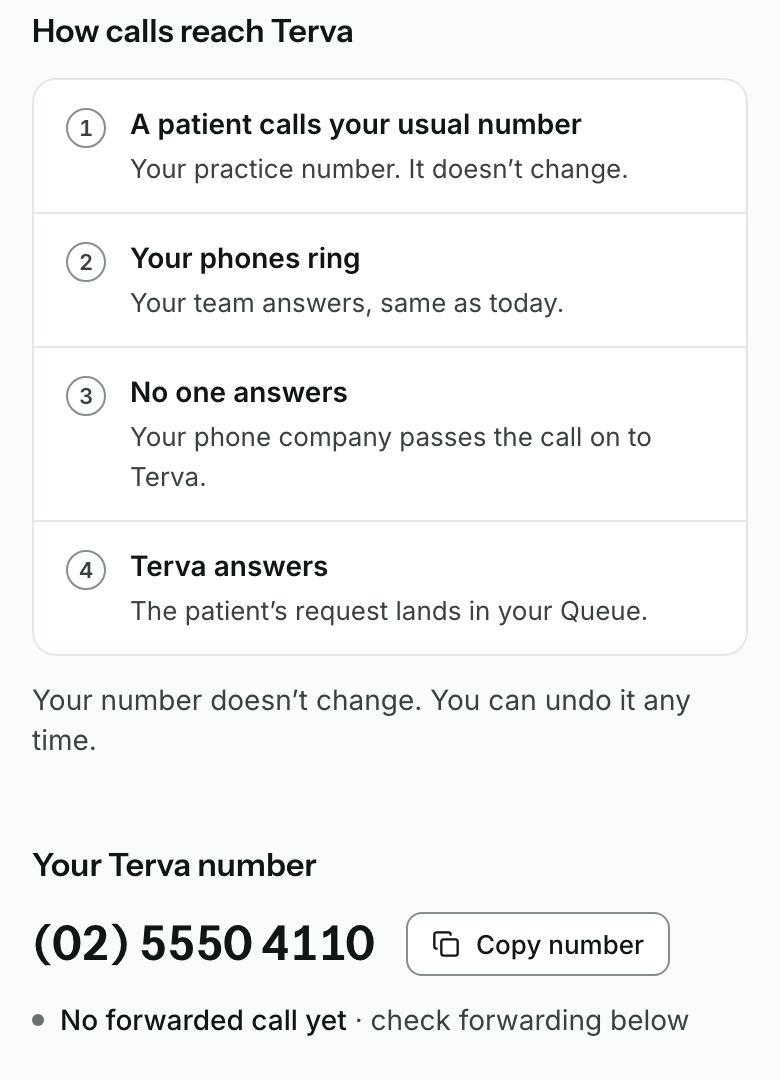
Your practice number doesn’t change, and you don’t give patients a new one. They call the number they know, and your phones ring first, the same as today.
Nobody reaches Terva until you forward calls to your Terva number. Then only the calls no one answers go on to Terva.
Forward your practice line to it
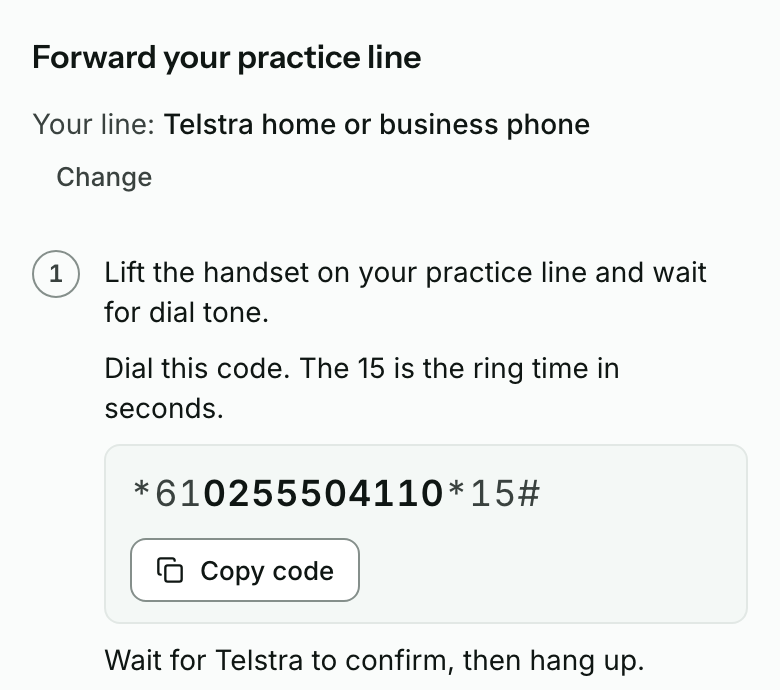
On Phone line, choose your phone company or system. Terva shows its steps with your Terva number filled in: a code to dial from a practice phone, a setting to change in your phone company’s account, or a request for whoever runs your phone system.
Someone else looks after your phones? Press Someone else looks after our phones for a request you can send them. Every phone system’s steps are also in Forward your calls to Terva.
Undo it any time
To stop, turn forwarding off on your practice line. Your phone system’s guide in Forward your calls to Terva has the code or setting under Turn forwarding off.
Once a check has passed, Phone line also shows Undo forwarding, which opens that guide. Calls then ring at the practice only, as they did before.


What you’ll see when it works
- Phone line shows Your Terva number with Copy number.
- Before you forward, it says No forwarded call yet.
- Once you’ve forwarded and checked, it says Forwarding works.
If it doesn’t
- Make a test call first
- Your Terva number comes after a test call. Make one in your browser, then come back.
- Ask the practice owner to get your Terva number
- Only the practice owner can get the number. Ask them to sign in and press Get my Terva number.
- This is taking longer than usual
- Terva keeps trying. You can close the page: we email you when the number is ready, usually within the hour.
- We couldn’t get your Terva number yet
- Everything else is set up and waiting. Press Get help to send us a message, and our support team gets a number for you.
- Your practice has more than one location
- Online sign-up sets up one location. Press Get help, and our support team finishes your number with you.
Stuck on a step?
Book a set-up call and we’ll go through it with you.